
Session History
Browse, search, and analyze past conversation sessions. The Session History view provides comprehensive access to all completed, failed, and cancelled sessions with powerful search and filtering capabilities, bulk export options, and configurable data retention policies.
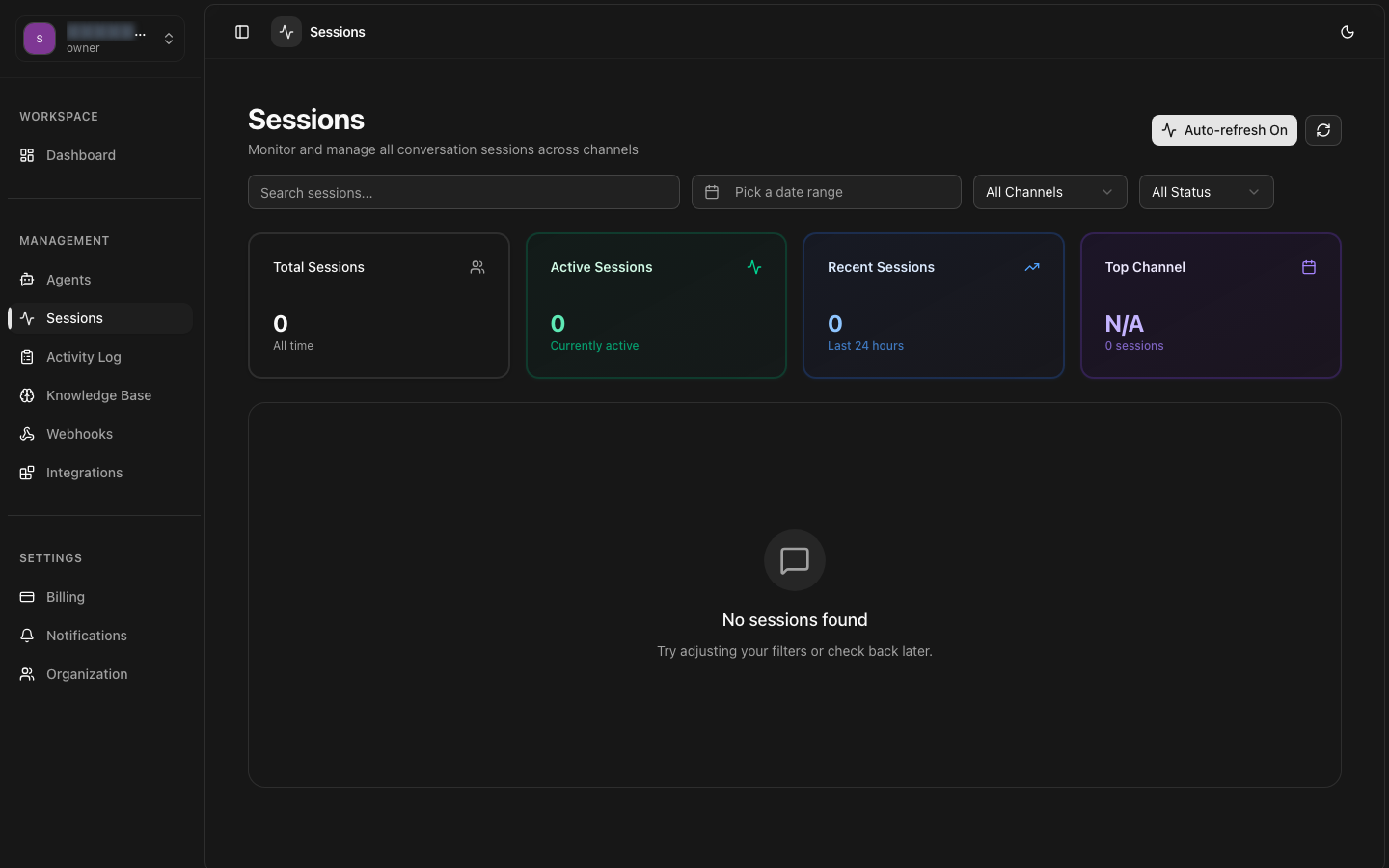
Browsing
Paginated list with sortable columns and quick preview
Full-Text Search
Search across messages, metadata, and session attributes
Advanced Filters
Multi-dimensional filtering with saved filter presets
Export Options
Export sessions in CSV, JSON, or PDF with customizable fields
Data Retention
Configurable retention policies with automated archival
Session Detail
Full conversation transcripts with metadata and events
Browsing Session History
The Session History view presents a paginated, sortable table of all past sessions. Each row represents a completed, failed, or cancelled conversation with key attributes displayed for quick scanning. Click any row to open the full session detail view.
Default View
By default, sessions are displayed in reverse chronological order (most recent first) with 50 sessions per page. The table columns include Session ID, Agent, Channel, Status, Start Time, Duration, and Message Count.
Column Customization
Choose which columns to display by clicking the columns button. Drag and drop to reorder columns. Column preferences are persisted per user across sessions.
Sorting
Click any column header to sort ascending or descending. Multi-column sorting is supported by holding Shift while clicking additional column headers.
Quick Preview
Hover over a session row to see a tooltip with the first and last few messages of the conversation, providing context without opening the full detail view.
Pagination Navigation
The history view supports multiple navigation modes to efficiently browse large datasets.
Navigation Modes:
- Standard Pagination: Page numbers with Previous/Next buttons, configurable page size (25, 50, 100)
- Infinite Scroll: Continuous loading as you scroll down. Toggle in view preferences.
- Jump to Date: Navigate directly to sessions from a specific date using the calendar picker.
- Go to Page: Direct page number input for quick navigation to specific pages.
Session Detail View
Click any session in the history list to open the detail view, which provides a complete record of the conversation with all associated data.
Conversation Transcript
Complete message history with timestamps, sender identification (user/agent/channel), message type, and delivery status. Messages are displayed in chronological order with clear visual separation between user and agent messages.
Session Metadata
Full metadata including session ID, agent configuration at time of conversation, channel details, custom metadata key-value pairs, tags, and organization context. Metadata is displayed in a structured key-value format with support for nested objects.
Event Timeline
Chronological list of all events that occurred during the session: connection events, status changes, errors, interventions, handoffs, and system notifications. Each event includes type, timestamp, and contextual data.
Performance Metrics
Per-session metrics including total duration, average response time, token usage, number of messages exchanged, first response time, and any error counts. Metrics are calculated and displayed at the bottom of the detail view.
Session Detail API
GET /sessions/{id}endpoint. The response includes all metadata, messages, and events associated with the session.Search
The search functionality indexes all session data including messages, metadata, and system events. Search results are displayed in the history table with matching terms highlighted.
Search Capabilities
Message Search
Search across all messages in a session. Supports exact phrase matching with quotes and fuzzy search for approximate matches.
Metadata Search
Search custom metadata key-value pairs. Use dot notation for nested fields.
Session ID Search
Search for specific sessions by full or partial session ID. Partial matches return all sessions with matching prefixes.
Advanced Query Syntax
Combine search terms with boolean operators and field-specific queries.
Search Syntax Reference
| Syntax | Description | Example |
|---|---|---|
| "exact phrase" | Exact phrase match | "shipping address" |
| term1 AND term2 | Both terms must match | refund AND cancelled |
| term1 OR term2 | Either term must match | bug OR error |
| -term | Exclude sessions containing term | -test -debug |
| field: value | Field-specific search | agent_id: agent_123 |
| term* | Wildcard / prefix match | ship* |
Search API
The search functionality is backed by a dedicated search API endpoint that supports the full query syntax.
Filters
Apply multiple filters simultaneously to narrow down session history. Filters can be combined with search queries for precise results. Active filters are displayed as removable badges above the results table.
Filter Options
Date Range
Filter by session start date. Preset ranges include: Last 24 hours, Last 7 days, Last 30 days, Last 90 days, This Year, and Custom range with date picker.
Agent & Channel
Filter by one or more agents and channels. Multi-select dropdowns with search-as-you-type for large agent lists.
Status & Type
Filter by session status (Completed, Failed, Cancelled) and session type (Chat, Voice, Video). Multiple selections allowed per category.
Performance Filters
Filter sessions by performance metrics: duration range, message count range, response time thresholds, and token usage.
Saved Filter Presets
Save frequently used filter combinations as named presets. Presets are stored per-user and synchronized across devices. Each preset stores all active filter values and the current sort configuration.
Example Presets:
- Failed Sessions Today: Status = Failed, Date = Today, sort by started_at desc
- WhatsApp Last Week: Channel = WhatsApp, Date = Last 7 days
- High Duration: Duration > 10 minutes, Status = Completed
- Monthly Compliance: All completed sessions for current month
Filter Scope
Export Options
Export session data in multiple formats for external analysis, compliance reporting, or data migration. Exports respect all active filters and can be customized to include specific fields and date ranges.
Export Formats
CSV Export
Session metadata in comma-separated format. Includes all visible columns plus optional extended fields. Compatible with Excel, Google Sheets, and data analysis tools. Supports Unicode for international character sets.
JSON Export
Complete session data in JSON format including all messages, metadata, and events. Ideal for programmatic processing, integration with external systems, and data archival. Supports pretty-print and minified output.
PDF Report
Formatted PDF report suitable for printing or sharing. Includes session summary, conversation transcript, and key metrics. Customizable with organization branding and logo.
HTML Export
Self-contained HTML file with styled conversation view. Includes all CSS inline for offline viewing. Supports embedded images and file attachments as base64.
Export Configuration
Before exporting, configure the following options to customize the output.
Export Options:
- Field Selection: Choose which fields to include in the export
- Include Messages: Toggle inclusion of full message history
- Include Metadata: Include custom metadata in the export
- Date Range: Set the time period for the export
- File Naming: Custom filename pattern with date/time variables
- Compression: Optionally compress JSON/CSV exports as gzip
Export via API
Trigger exports programmatically using the export API endpoint. Exports are processed asynchronously and delivered via webhook or download URL.
Large Exports
Data Retention
8bit-ai provides configurable data retention policies to help you manage storage costs and comply with data privacy regulations. Retention policies can be set at the organization level with optional overrides per agent.
Retention Periods
| Tier | Default Retention | Configurable Range | Data Included |
|---|---|---|---|
| Free | 7 days | 7 - 30 days | Metadata + Messages |
| Pro | 90 days | 30 - 365 days | Metadata + Messages + Events |
| Enterprise | Unlimited | Custom | Full data including transcripts |
Retention Actions
When a session reaches the end of its retention period, the following actions occur based on the configured policy.
Archive
Session data is compressed and moved to cold storage. Archived sessions can be restored on demand but have higher retrieval latency. Metadata (session ID, status, timestamps) remains searchable.
Delete
Session data is permanently deleted from all storage tiers. Deletion is irreversible. A deletion log entry is created for audit purposes. Deletion occurs during the daily maintenance window.
Configuration Example
Configure retention policies via the dashboard settings or the API.
Compliance Considerations