
Team Management
Manage your organization's team members, assign roles, and control access permissions. Team management enables collaboration by allowing multiple users to work within the same organization with appropriate levels of access.
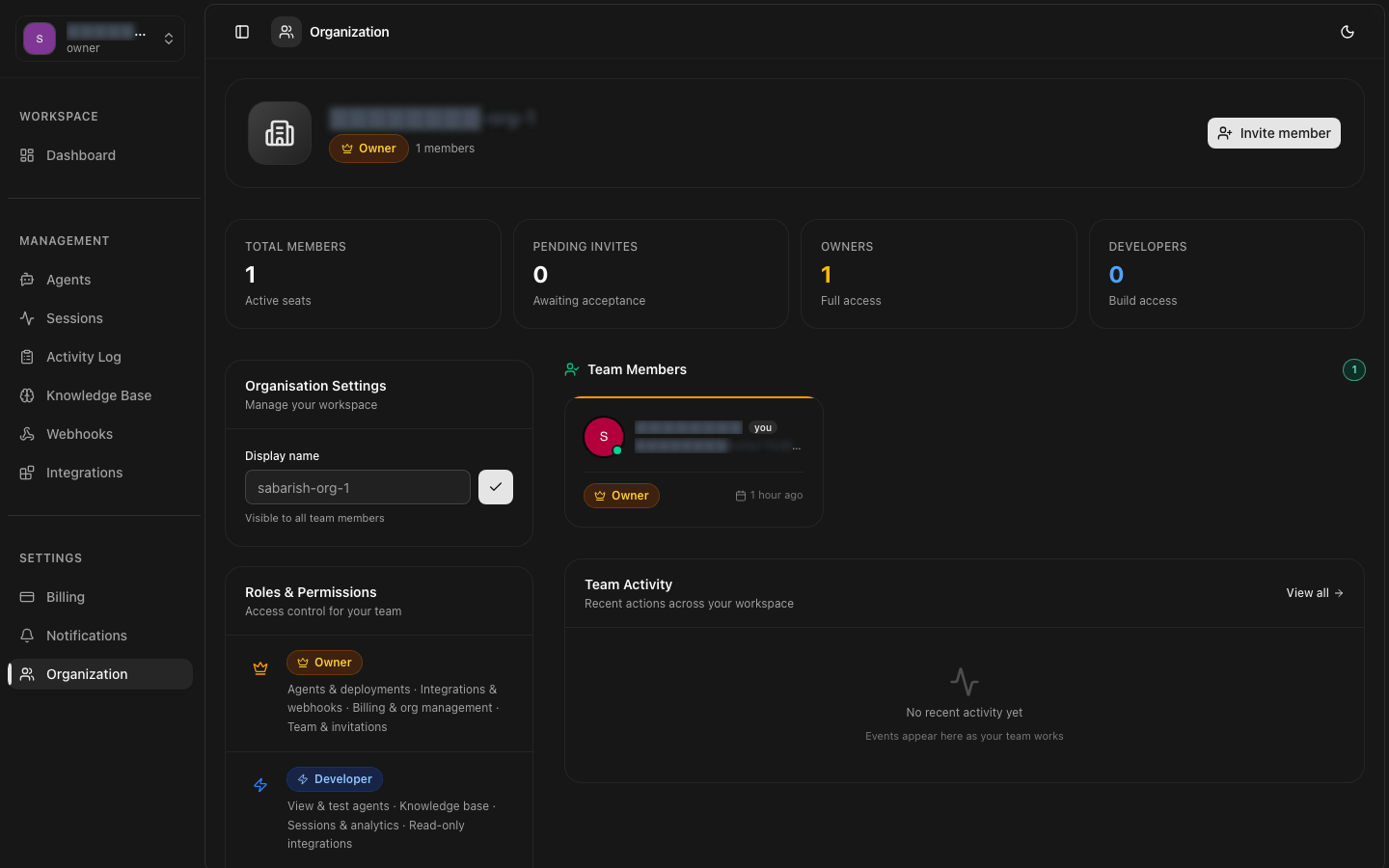
Team Management Access
Overview
Each organization can have multiple team members with distinct roles. Team members share access to the organization's agents, conversations, knowledge bases, and billing resources based on their assigned permissions.
- Collaborative workspace — Team members can collaborate on agent configuration, conversation monitoring, and knowledge base management.
- Role-based access — Assign granular permissions to control what each member can view, create, modify, or delete.
- Activity tracking — View team member activity, including recent actions and login history.
- Audit logging — All team management actions (invites, role changes, removals) are logged for compliance.
Managing Members
The team management dashboard is accessible via Settings > Team. Here you can view all current members, their roles, and their status.
Viewing Members
Changing Roles
Update a team member's role through the API or dashboard. Changes take effect immediately.
Roles Overview
Each team member is assigned a role that determines their permissions within the organization. The platform includes five predefined roles.
| Role | Description |
|---|---|
| Owner | Full access to all resources and settings. Can manage billing, delete the organization, and transfer ownership. |
| Admin | Full access to all resources except billing management and organization deletion. Can manage team members. |
| Developer | Can create and manage agents, view conversations, and access knowledge bases. Cannot manage team or billing. |
| Billing | Can view and manage billing settings, invoices, and payment methods. No access to agents or conversations. |
| Viewer | Read-only access to agents, conversations, and knowledge bases. Cannot create, modify, or delete resources. |
For a complete permissions matrix, refer to the Roles & Permissions page.
Inviting Members
Invite new members to join your organization by sending an email invitation. Invitations can be sent via the dashboard or the API.
Sending an Invitation
Invitation Limits
Removing Members
Remove team members who no longer need access to the organization. Removal is immediate and cannot be undone.
Removing via API
Before Removing a Member
Consider transferring any agent ownership or active conversations before removal. Resources owned by the removed member will be reassigned to the organization owner.
Cannot Remove the Owner
The organization owner cannot be removed. To transfer ownership, the current owner must assign ownership to another member first.
Removal is Permanent