
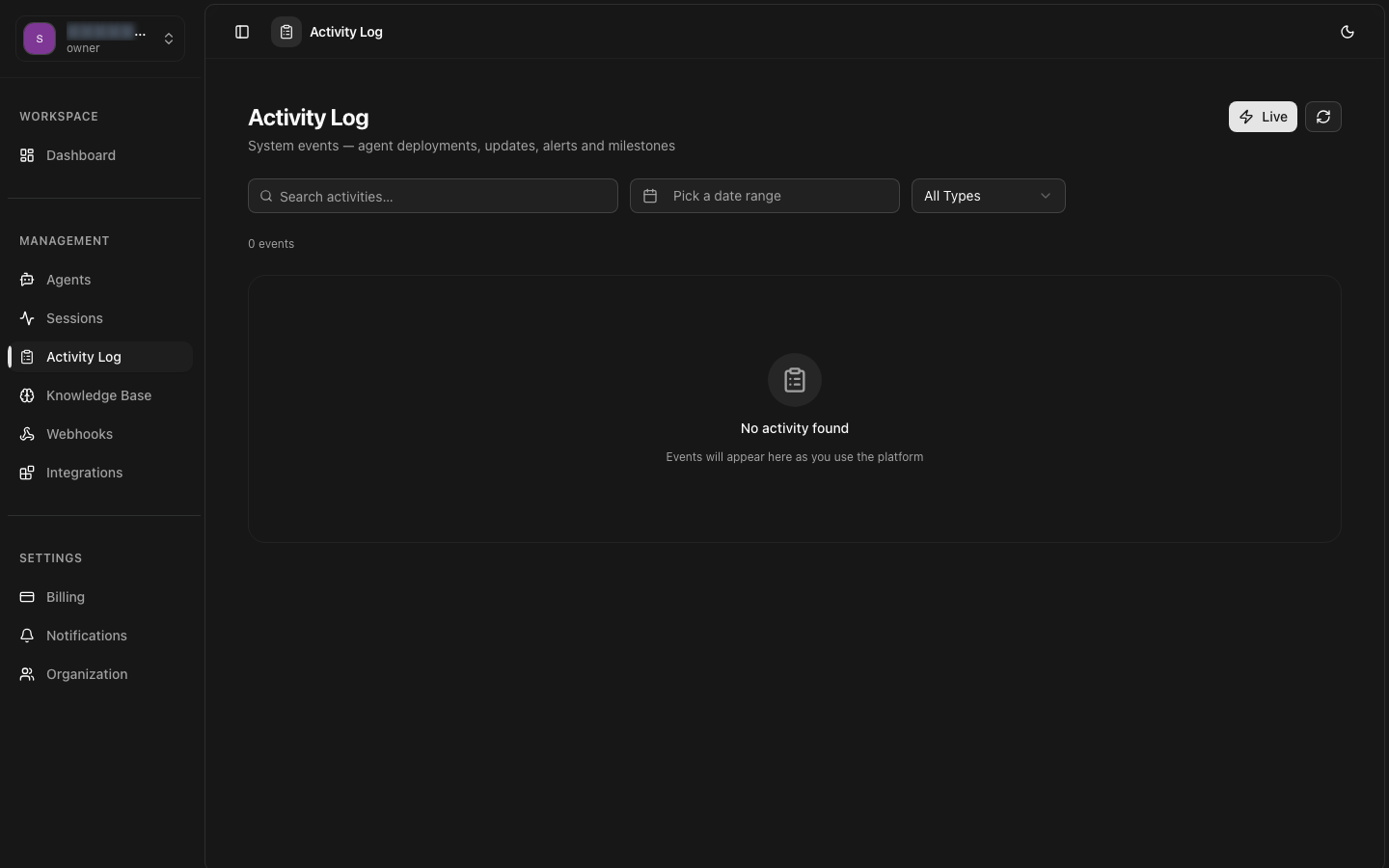
Activity Logs
Access detailed event logs for every action that occurs within your 8bit-ai organization. Activity Logs provide an immutable audit trail of system events, API calls, configuration changes, and error conditions for troubleshooting, compliance, and security monitoring.
Event Stream
Chronological feed of all system events with rich context
Audit Trail
Tamper-proof records for compliance and security investigations
API Tracking
Monitor all API requests with latency, status codes, and payloads
Error Monitoring
Capture and alert on errors with stack traces and context
Log Filtering
Multi-dimensional filtering with real-time search across all events
Log Export
Export logs in JSON, CSV, or NDJSON for external analysis
Overview
Activity Logs capture every significant event within your 8bit-ai organization. Each log entry contains a timestamp, event type, actor (user or system), resource affected, action performed, and contextual metadata. Logs are immutable once written and are retained according to your organization's data retention policy.
Log Structure
Every log entry follows a consistent structure: a unique event ID, ISO 8601 timestamp, event type and category, actor identification (user ID, API key name, or system), target resource type and ID, action verb, status (success, failure, pending), and a metadata object with event-specific details.
Immutability
Once written, log entries cannot be modified or deleted. This ensures a tamper-proof audit trail for compliance and security investigations. Logs are stored in write-once, read-many (WORM) storage with cryptographic chain verification.
Ingestion Pipeline
Events are ingested through a distributed pipeline that ensures at-least-once delivery with deduplication. Typical end-to-end latency from event occurrence to log availability is under 5 seconds. During peak loads, logs are batched for efficient processing.
Retention and Archival
Active logs are available for search and filtering for the duration of your retention period (configurable from 7 days to unlimited). After the active period, logs are archived to cold storage and can be restored within 24 hours on request.
Event Types
Activity Logs categorize events into distinct types, each with its own schema and metadata structure. Understanding the event taxonomy helps you configure meaningful filters and alerts.
Session Events
Events related to conversation session lifecycle and activity within sessions.
| Event Type | Description | Triggered By |
|---|---|---|
| session.created | New conversation session started | User, System |
| session.message | Message exchanged in a session | User, Agent |
| session.transferred | Session transferred to another agent or human | Admin, System |
| session.completed | Session ended successfully | User, Agent |
| session.failed | Session ended with an error | System |
| session.intervened | Admin intervention performed on a session | Admin |
API Events
Events tracking all API requests made to the 8bit-ai platform, including REST API calls and SDK interactions.
| Event Type | Description | Triggered By |
|---|---|---|
| api.request | Incoming API request received | User, Application |
| api.response | API response sent with status code | System |
| api.error | API request resulted in an error response | System |
| api.rate_limited | Request rejected due to rate limiting | System |
Admin and Configuration Events
Events tracking configuration changes, user management, and administrative actions.
| Event Type | Description | Triggered By |
|---|---|---|
| agent.created | New agent created | Admin |
| agent.updated | Agent configuration changed | Admin |
| agent.deployed | Agent deployed to a channel | Admin |
| agent.deleted | Agent deleted from organization | Admin |
| user.invited | New user invited to organization | Admin |
| user.role_changed | User role or permissions updated | Admin |
| integration.connected | New channel integration connected | Admin |
| integration.disconnected | Channel integration disconnected | Admin, System |
System and Security Events
Infrastructure, security, and platform-level events related to system health and operations.
System Health Events
Security Events
Event Schema
event_id, timestamp,event_type, actor, resource, action,status, and metadata. The metadata object contains event-specific fields documented in the API reference.Audit Trail
The audit trail provides a tamper-proof record of all actions taken within your organization. It meets the requirements for SOC 2, HIPAA, GDPR, and other regulatory frameworks.
Audit Features
Complete Actor Identification
Every event records the actor: user ID and email for user actions, API key name for programmatic access, or "system" for automated processes. IP addresses and user agent strings are captured for all authenticated requests.
Before and After State
Configuration change events include both the previous and new values. This allows you to see exactly what changed, who changed it, and when, enabling full reconstruction of any resource's state history.
Chain of Custody
Each log entry includes a cryptographic hash of the previous entry, forming an immutable chain. Tampering with historical logs would break the chain and is immediately detectable.
Compliance Reports
Generate audit trail reports filtered by date range, event type, or actor. Reports include a verification hash that can be independently validated against the chain of custody.
Audit Log Entry Example
Each audit log entry contains comprehensive context about the event.
Audit Trail Retention
Log Filtering
Filter and search activity logs using multiple dimensions. The log viewer supports real-time filtering with instant result updates as you adjust filter criteria.
Filter Dimensions
Time Range
Filter by absolute date range or use presets: Last 15 minutes, Last 1 hour, Last 24 hours, Last 7 days, or Custom range.
Event Category
Filter by event category: session, api, agent, auth, integration, system, or security. Multi-select with "Select All" option.
Actor
Filter by who performed the action: specific user, API key, or system events. Supports search-by-email for user actors.
Resource
Filter by affected resource type and ID. Useful for investigating all activity related to a specific agent or session.
Status
Filter by event status: success, failure, or pending. Quickly find failed operations for troubleshooting.
Search Query
Full-text search across all log fields including actor names, resource IDs, and metadata values. Supports the same query syntax as session search.
Saved Log Views
Save frequently used filter combinations as named views. Log views are stored per-user and synchronized across browser sessions.
Example Saved Views:
- Failed API Calls: Category = api, Status = failure, Last 24 hours
- Agent Changes: Category = agent, Last 7 days, sorted by timestamp desc
- Security Events: Category = security, auth, Last 30 days
- Deployments: Event type contains deployed, Last 7 days
Log Export
Export activity logs for external analysis, compliance auditing, or integration with SIEM (Security Information and Event Management) systems.
Export Formats
JSON Export
Complete log entries in JSON format. Each log entry is a JSON object with all available fields. Supports pretty-print and minified output options.
NDJSON Export
Newline-delimited JSON format. Each line is a complete JSON object. Ideal for streaming ingestion into log aggregation tools like Logstash, Fluentd, or Splunk.
CSV Export
Flat CSV format suitable for spreadsheet analysis. Flattens nested metadata into separate columns. Configurable field selection and column ordering.
SIEM Integration
Direct integration with popular SIEM platforms. Supports syslog forwarding, webhook delivery, and cloud storage (S3, GCS) with automated data formatting.
Export via API
Programmatically export activity logs for automation and integration workflows.
Export Limits