
Agent Configuration
Fine-tune every aspect of your AI agent's behavior, from the system prompt and model selection to advanced inference parameters that control response quality and consistency.
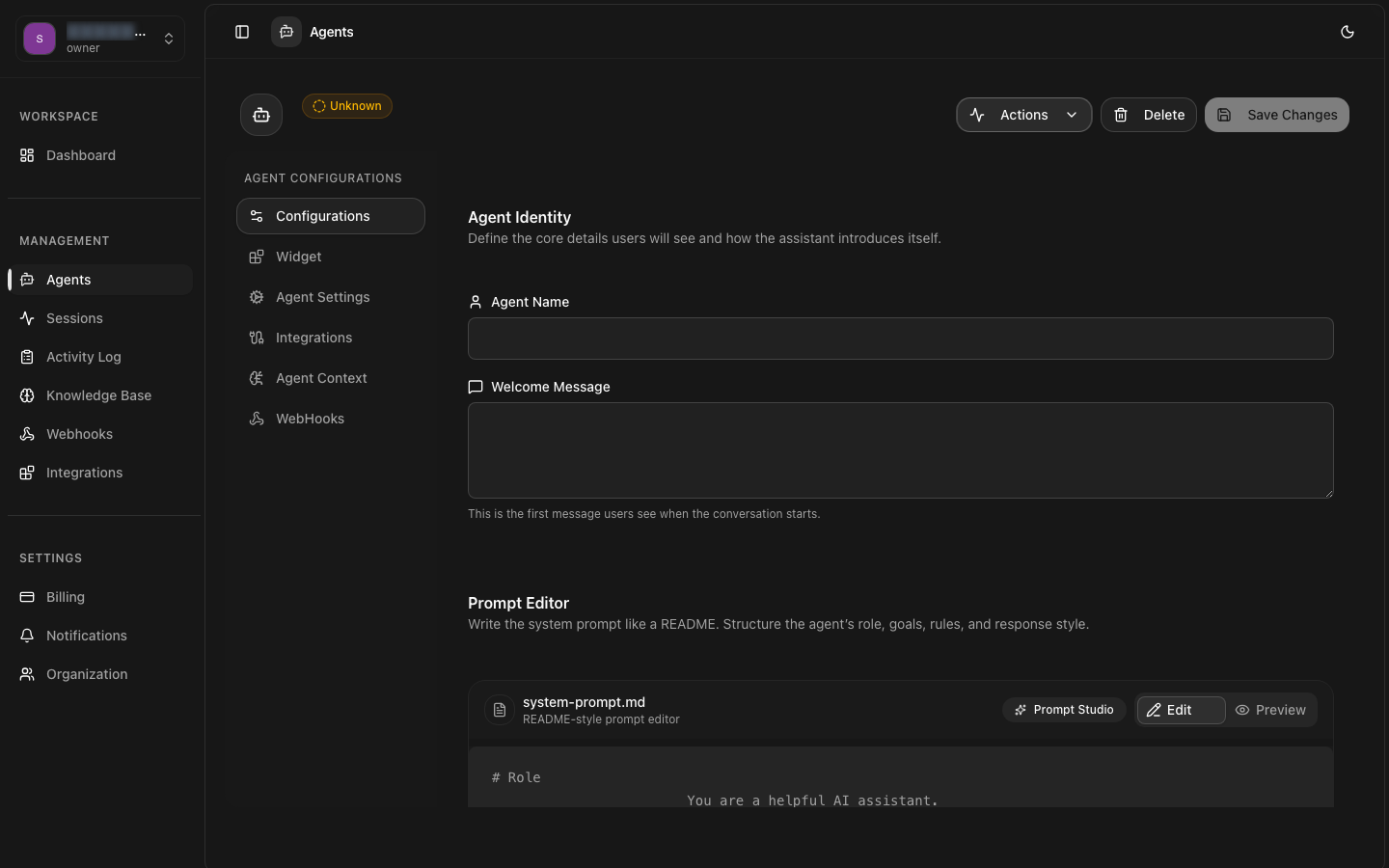
System Prompt
The system prompt is the core instruction set that defines your agent's personality, role, knowledge boundaries, and behavioral guidelines. It is prepended to every conversation and serves as the agent's persistent context.
Role Definition
Clearly state the agent's role and purpose. For example: "You are a customer support agent for Acme Corp." This sets expectations for the LLM's behavior.
Tone and Style
Define the communication style: professional, casual, empathetic, technical. Provide examples of desired response patterns to guide the model.
Constraints and Boundaries
Specify what the agent should not do: avoid making promises, never share sensitive data, escalate complex issues to humans. Clear constraints prevent undesirable behavior.
Formatting Guidelines
Instruct the agent on response format: use bullet points for steps, wrap code in markdown blocks, include source citations, or end with a specific closing question.
Prompt Best Practices
Model Selection
Choose the language model that best fits your use case. Each model offers different trade-offs in capability, speed, cost, and context window size.
| Model | Context Window | Speed | Best For | Cost |
|---|---|---|---|---|
| GPT-4 Turbo | 128K tokens | Fast | Complex reasoning, long context | $$$ |
| Claude Sonnet 4 | 200K tokens | Fast | Balanced, nuanced conversations | $$ |
| Claude Haiku | 200K tokens | Very Fast | High-throughput, simple tasks | $ |
| Gemini Pro | 128K tokens | Fast | Multimodal, cost-effective | $ |
| GPT-4o Mini | 128K tokens | Very Fast | Budget-friendly, good quality | $ |
Model Availability
Parameters
LLM parameters give you fine-grained control over response generation. Adjust these to balance creativity, consistency, and cost.
Temperature (0-2)
Controls the randomness of token selection. Lower values (0.1-0.3) produce focused, deterministic outputs ideal for factual responses. Higher values (0.8-1.5) generate more creative and varied responses.
Max Tokens
Maximum number of tokens the model can generate in a single response. Each token is roughly 0.75 words. Higher values allow longer responses but increase cost and latency.
Top P (0-1)
Nucleus sampling — considers tokens with cumulative probability up to P. Lower values make output more focused. Alternative to temperature for controlling randomness.
Frequency & Presence Penalty
Frequency penalty reduces repetition of tokens that have already appeared. Presence penalty encourages the model to talk about new topics. Range: -2.0 to 2.0.
Advanced Settings
Additional configuration options for fine-tuning agent behavior.
Stop Sequences
Define strings that signal the model to stop generating. Useful for controlling response structure and preventing runaway generation.
Context Management
Control how conversation history is truncated to fit within the model's context window. Options include sliding window, summarization, and token-based truncation.
Rate Limiting and Throttling
Configure per-user and per-agent rate limits to control costs and prevent abuse.
Configuration Best Practices