
Creating Collections
Collections are the top-level containers for your knowledge base documents. Learn how to create, configure, and manage collections for optimal RAG performance.
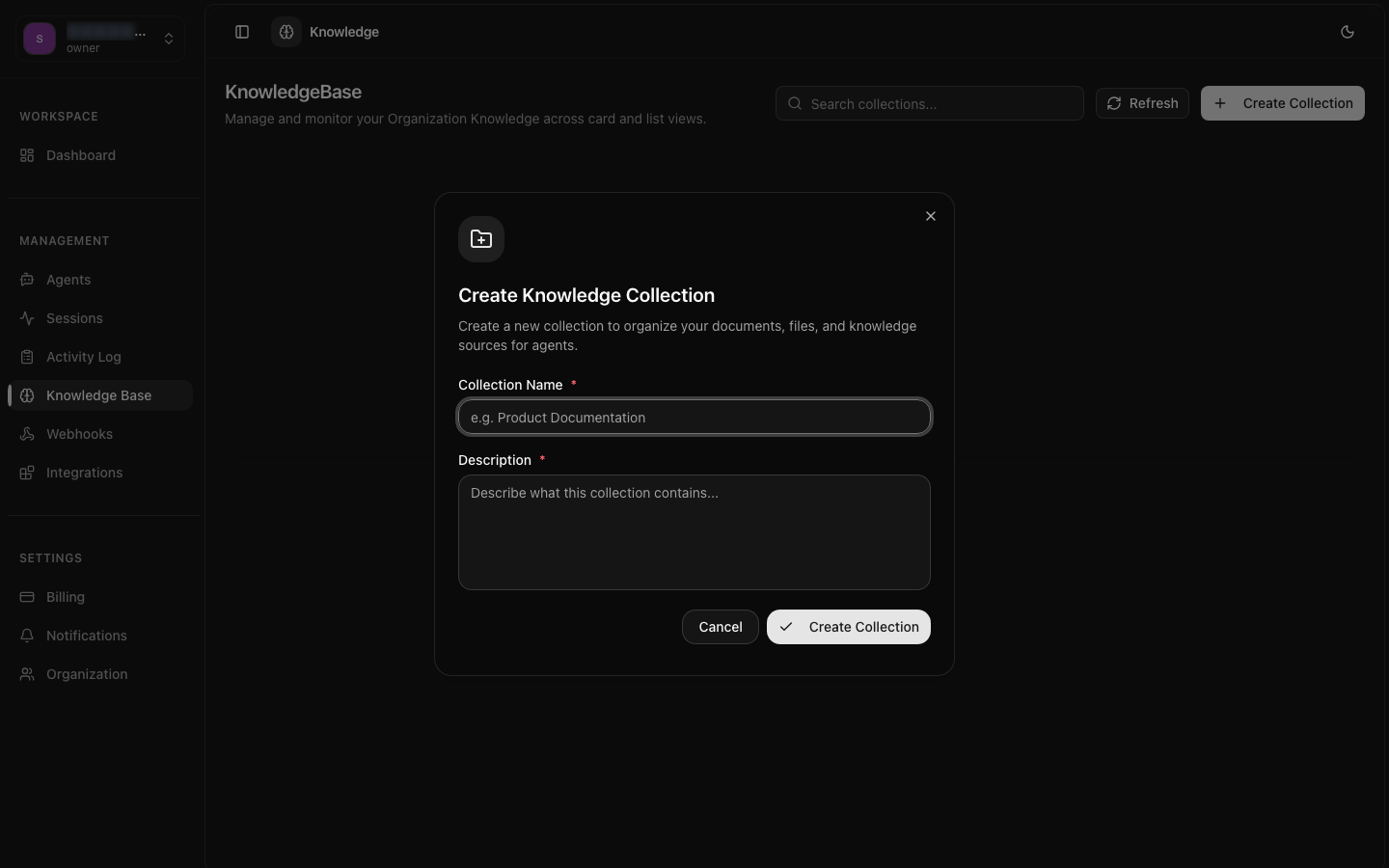
Create & Configure
Set up collections with names, descriptions, and processing preferences.
Multiple Formats
Upload PDF, DOCX, TXT, MD, HTML, and CSV documents with automatic parsing.
Flexible Upload
Use dashboard, API, URL fetching, or raw text for adding documents.
Creating a Collection
A collection acts as a logical grouping of related documents. You might create separate collections for product documentation, internal policies, FAQ data, or API references. Each collection has its own processing configuration and can be linked to multiple agents.
Name and Description
Choose a descriptive name that reflects the collection's content, such as "Product Documentation v3" or "Customer Support FAQ". Add a description to help team members understand the collection's purpose and scope.
Processing Configuration
Set chunk size, chunk overlap, and embedding model for document processing. These settings affect how your documents are split and indexed. You can adjust them later and reindex documents if needed.
Agent Linking
After creation, link the collection to one or more agents. An agent can reference multiple collections, and a collection can be shared across multiple agents. This enables flexible knowledge sharing across your AI deployments.
Supported File Formats
8bit-ai supports a wide range of document formats with automatic text extraction and parsing. Each format is processed differently to preserve structure and meaning.
| Format | Extension | Processing Notes | Max Size |
|---|---|---|---|
| Text extraction preserves headings, tables, and basic formatting | 50 MB | ||
| Word | .docx | Full text, heading styles, and list structures preserved | 50 MB |
| Plain Text | .txt | Fast processing, no structure preservation needed | 10 MB |
| Markdown | .md | Headings, code blocks, and lists used for chunk boundary detection | 25 MB |
| HTML | .html, .htm | Strips tags, preserves semantic structure from headings | 25 MB |
| CSV | .csv | Rows converted to structured text with column headers | 25 MB |
Format Recommendations
Upload Methods
8bit-ai provides multiple ways to add documents to your collections, supporting different workflows and automation scenarios.
File Upload
Upload files directly through the dashboard or API. Supports drag-and-drop and multi-file uploads. Files are stored securely and processed automatically.
URL Fetching
Provide a URL and the system will fetch, parse, and index the content. Useful for documentation sites, blog posts, and public web pages.
Raw Text
Paste or send raw text content directly. Ideal for quick additions, notes, or content that doesn't exist as a file.
Managing Collections
Once created, collections can be updated, archived, or deleted. You can also monitor their processing status and document counts.
Collection Settings
Update the name, description, or processing configuration of a collection at any time. Changing chunk size or embedding model will require reindexing existing documents.
Data Loss Warning