
Payment Methods
Manage your organization's payment methods, view invoices, track billing history, and configure tax information for compliance and accurate billing.
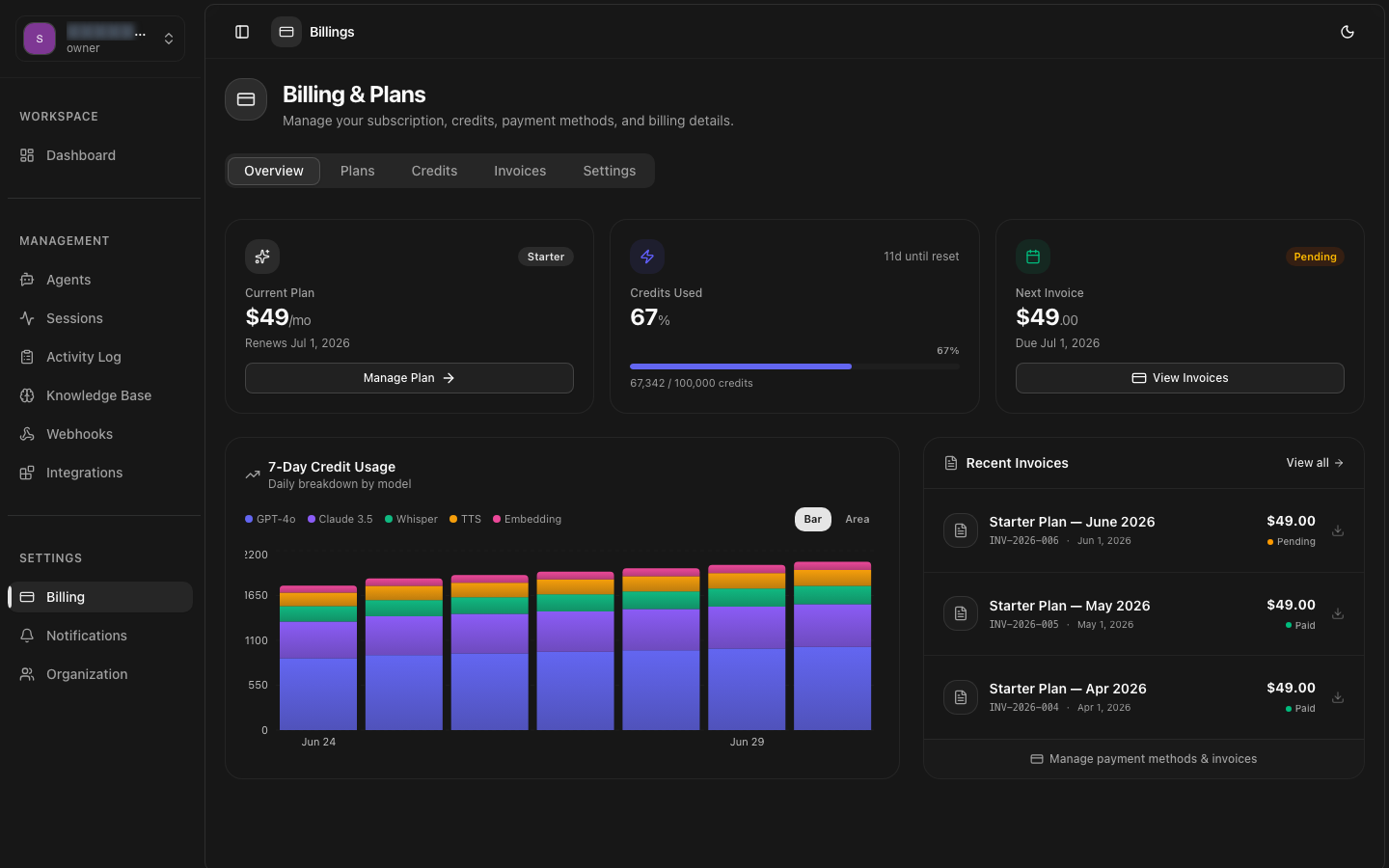
Payment Access
Managing Payment Methods
Add, update, or remove payment methods from the billing settings in the dashboard. The platform supports credit/debit cards and ACH bank transfers.
Supported Payment Methods
| Method | Processing Time | Fee |
|---|---|---|
| Credit / Debit Card | Instant | 2.9% + $0.30 per transaction |
| ACH Bank Transfer | 3–5 business days | No fee |
Adding a Card
Payment details are securely processed and stored by DooDoo Payments. 8bit-ai never stores full credit card numbers on its servers.
Setting Default Method
Set a default payment method for automatic billing. The default method is charged on each billing cycle for your subscription and any overages.
Removing Payment Methods
Invoices
Invoices are generated automatically at the end of each billing cycle. Each invoice includes a detailed breakdown of charges, credits, and any adjustments.
Invoice Structure
API — List Invoices
Download Invoice PDF
Each invoice includes a downloadable PDF for your records. PDFs are available immediately after invoice generation.
Invoice Email
Billing History
The billing history page shows all past charges, payments, and adjustments to your account. Filter by date range, status, or transaction type.
Transaction Types
| Type | Description |
|---|---|
| subscription | Monthly plan charge |
| overage | Additional credit usage beyond plan |
| add_on | Add-on feature or capacity purchase |
| credit | Credit or refund applied to account |
| payment | Payment received for an invoice |
API — Billing History
Tax Information
Manage your organization's tax information to ensure accurate tax calculation on invoices. Tax rates are determined by your billing address and applicable local laws.
Tax Configuration
- VAT / GST — Provide your VAT or GST number for applicable regions to enable reverse charge or exemption.
- Sales tax — US-based organizations may need to provide state-specific tax exemption certificates.
- Business address — Your billing address determines the tax jurisdiction and applicable rates.
API — Update Tax Info
Tax Exemption