
Roles & Permissions
8bit-ai uses a role-based access control (RBAC) system to manage permissions within your organization. Each role carries a specific set of permissions that determine what actions a user can perform across agents, conversations, billing, and team management.
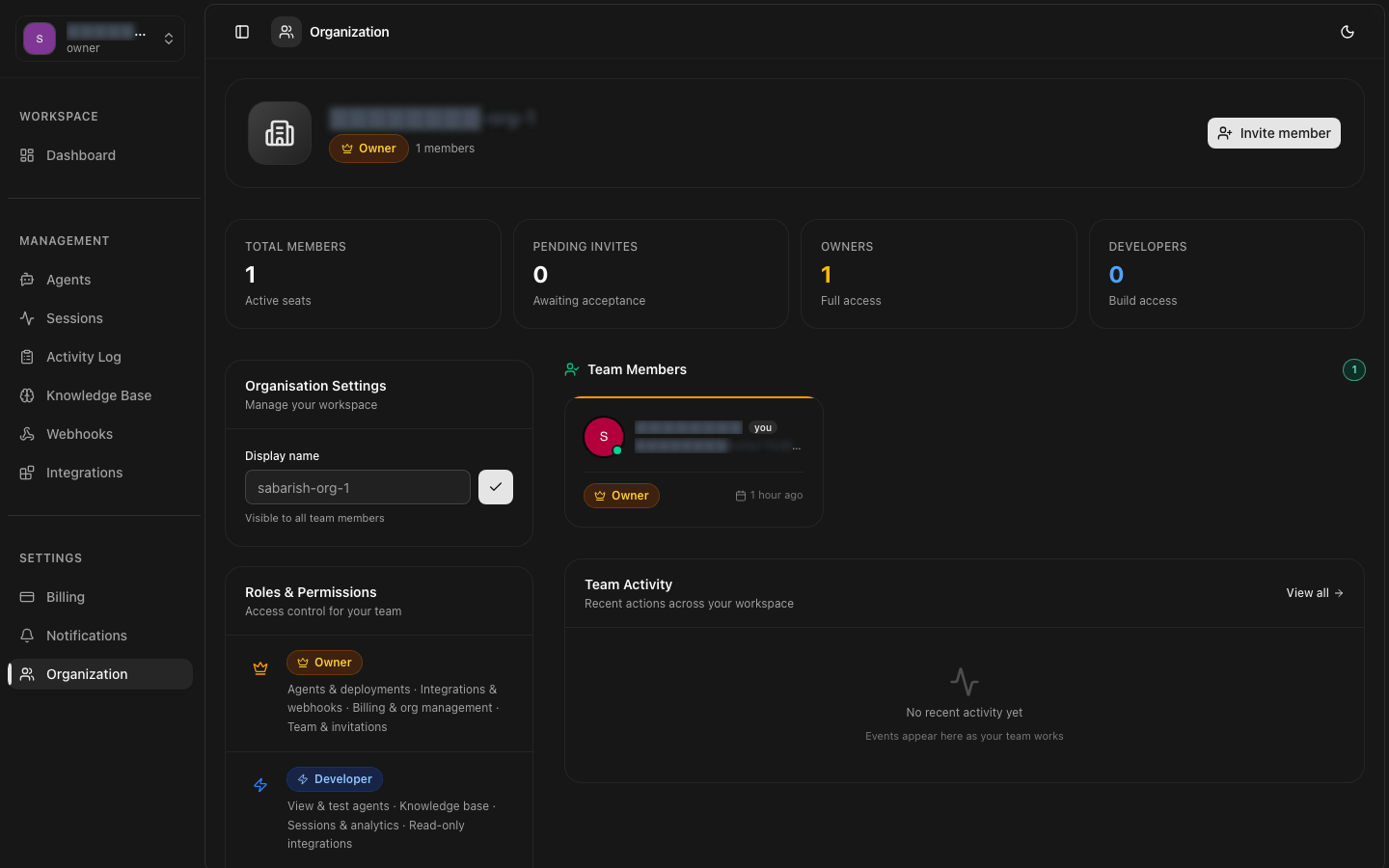
Role Inheritance
Role Definitions
Owner
Full access — the highest level of control
The Owner has unrestricted access to every feature and setting within the organization. There can only be one owner per organization at any time.
- All permissions from all other roles
- Delete the organization permanently
- Transfer ownership to another member
- Manage billing and payment methods
- Access audit logs and compliance data
Admin
Full access except billing and organization deletion
Admins can manage almost everything in the organization. They can invite and remove members, manage agents and knowledge bases, and view conversations.
- All Developer permissions
- Invite, remove, and manage team members
- Modify organization settings
- Cannot manage billing or delete the organization
- Cannot transfer ownership
Developer
Create and manage agents and conversations
Developers are the primary builders on the platform. They have full access to agents, conversations, knowledge bases, and integrations, but cannot manage team members or billing.
- Create, read, update, and deploy agents
- View and respond to conversations
- Manage knowledge bases
- Configure integrations and webhooks
- Cannot manage team members
- Cannot access billing settings
Billing
Billing and payment management only
The Billing role is designed for finance and accounting team members. They can manage subscription plans, payment methods, and invoices, but have no access to agents or conversations.
- View and manage subscription plans
- Update payment methods
- View and download invoices
- View billing history
- No access to agents, conversations, or knowledge bases
- Cannot manage team members
Viewer
Read-only access to resources
Viewers have read-only access to agents, conversations, knowledge bases, and settings. They cannot create, modify, or delete any resources. Ideal for stakeholders who need visibility.
- View agents and their configurations
- Read conversation transcripts
- View knowledge base content
- Cannot create, edit, or delete any resources
- Cannot access billing
Permissions Matrix
The following table shows the permissions granted to each role across all resource categories.
| Permission | Owner | Admin | Developer | Billing | Viewer |
|---|---|---|---|---|---|
| View Agents | ✓ | ✓ | ✓ | — | ✓ |
| Create / Edit Agents | ✓ | ✓ | ✓ | — | — |
| Deploy / Undeploy Agents | ✓ | ✓ | ✓ | — | — |
| Delete Agents | ✓ | ✓ | ✓ | — | — |
| View Conversations | ✓ | ✓ | ✓ | — | ✓ |
| Send Messages | ✓ | ✓ | ✓ | — | — |
| Manage Knowledge Bases | ✓ | ✓ | ✓ | — | — |
| Manage Webhooks | ✓ | ✓ | ✓ | — | — |
| Manage Integrations | ✓ | ✓ | ✓ | — | — |
| Invite / Remove Members | ✓ | ✓ | — | — | — |
| Change Member Roles | ✓ | ✓ | — | — | — |
| View Billing | ✓ | — | — | ✓ | — |
| Manage Payment Methods | ✓ | — | — | ✓ | — |
| Change Subscription Plan | ✓ | — | — | ✓ | — |
| Delete Organization | ✓ | — | — | — | — |
| Transfer Ownership | ✓ | — | — | — | — |
Custom Roles
Enterprise plan customers can create custom roles with granular permission sets tailored to their organization's needs. Custom roles are defined by selecting individual permissions from the available set.
Enterprise Feature
Best Practices
Principle of Least Privilege
Assign the minimum permissions needed for each team member to perform their role. Start with a Viewer or Developer role and escalate only as needed.
Limit Owners and Admins
Keep the number of users with Owner and Admin roles to a minimum. Most team members should be Developers or Viewers.
Regular Audits
Periodically review team member roles and remove access for users who no longer need it. Use audit logs to track permission changes.
Use Billing Role for Finance
Assign the Billing role to finance team members instead of giving them full Admin access. This limits their permissions to only what they need.